A LIVE, ONLINE 8-WEEK COURSE
December 2, 2026 – February 5, 2027
Design Your Own
AI Assistant
A personalized AI assistant for bringing your ideas to life and getting real work done.


My knowledge
My notes, ideas & experience



My voice
My words. My perspective.


My brand
My look. My identity.
Aa


My writing
The work I’ve already written


My projects
The work I want to bring to life



AI Assistant Toolkit, prebuilt for a faster start

8 live teaching sessions

8 open design labs

3 one-on-one sessions to help you build with confidence

Stop adapting yourself to AI.
Design a
personalized AI assistant
that adapts to the way you work.
Design a personalized
AI assistant that adapts
to the way you work.
Do you have an idea you’d love to bring to life?
Perhaps it’s an innovative workshop that combines the subjects you love, the methods you trust, and your life experience in an exciting new way? Or maybe you’ve been wanting to weave those interests into a group coaching program, but you’re still exploring how the pieces fit together?
I’m passionate about supporting creative, heart-centered people who feel called to help others grow.
The coaches, facilitators, and L&D professionals I work with continually inspire me with their creativity, hard-earned wisdom, and care for the people they serve. What I love most is helping them give those gifts a tangible form: a workshop, a program, or an experience that makes a real difference in someone’s life.
Turning an idea into a
profitable offering
Turning an idea into a
profitable offering
takes more than inspiration.
You need to shape it around a real need, communicate why it matters, and connect with the people you want to serve. Each step takes thoughtful, creative work.
Even if you already use AI, you’re still doing too much of the work to keep everything organized and connected.
Your knowledge, methodologies, brand guidelines, and project materials are scattered across different applications, documents, and conversations.
So you keep gathering the pieces, explaining the context, and re-explaining what you’ve already told it. Every new project you take on makes it harder to keep track of all the materials, decisions, and next steps.
That’s why I created Design Your Own AI Assistant: to help you build a personalized AI assistant shaped around your knowledge, your vision, and the way you work.

YOUR IDEA
An idea worth
bringing to life
WORKSHOP OUTLINE
From insight
to action
01 Set the intention
02 Explore together
03 Put insight into practice


EVENT PAGE
An experience
worth sharing.
Explore the Workshop
SLIDES
Pause.
Reflect.
Explore.



Bring your ideas to life,
help more people grow,
and earn more doing
the work you love.


Get real work done faster
with your own AI assistant.
Get real work done
faster with your
own AI assistant.
Get real work done faster
with your own AI assistant.
Get real work done
faster with your
own AI assistant.
Imagine taking an idea you love out of your notebook and shaping it into:

An innovative workshop that helps a team have a conversation they’ve been avoiding.
A coaching program that supports people through a significant transition.
A transformational practice that helps someone respond differently to a familiar challenge.
A series of inspiring articles that connects with the people you want to reach.
An offering only you can imagine, shaped by your unique gifts and the people you’re here to serve.

WORKSHOP
Lead with Perspective

Explore the challenge
See another perspective
Choose your next step
ARTICLE
A new way of
seeing things
SLIDES
One challenge.
Three perspectives.



VIDEO SCRIPT
Before you respond


I want to show you a
new way of working with AI.

I want to show you a
new way of working with AI.
Your AI assistant will help you plan, write, and create faster. It will build on your knowledge, methods, and the materials you’ve already developed.
Together, we’ll give it a foundation for understanding your work: the people you serve, the way you communicate, and what matters to you. You can then build on that shared context as you develop your project.
You won’t have to keep re-explaining the context or reminding AI of details you’ve already provided. That gives you more room to shape the experience, refine your ideas, and focus on the people you want to serve.

Your knowledge,
your voice,
your judgment,
with you in charge of the vision.


What makes this possible?
A prebuilt toolkit
you can personalize.
You’ll begin with the AI Assistant Toolkit, a prebuilt workspace for your projects, with guided setup, operating instructions, and reusable capabilities.
You’ll use the AI Assistant Toolkit with ChatGPT Work in the ChatGPT desktop app or the Claude desktop app with local-file capabilities. Your chosen app and account must be able to read and edit files in a folder on your computer. You need only one of these apps. See the FAQ for the course’s computer and subscription requirements.
You’ll learn alongside your peers, with live teaching sessions to guide you, open design labs to build and explore together, and one-on-one support when you need it.
Your projects will share the same foundation.
The Toolkit brings your related projects into one personalized workspace. Your workshops, newsletter, and coaching programs can draw on the same knowledge, methods, and voice. Each project keeps its own materials, decisions, and next steps. You can also create separate workspaces for areas of your work you want to keep apart.
Once that foundation is in place, your prompts can become shorter and more effective. So you can focus on what you want to accomplish and what’s new, while your AI assistant draws on the context you’ve already established.




Workshop

Newsletter

Coaching program

One shared foundation

Knowledge

Methods

Voice

Brand
You can build on what you’ve already created instead of starting from scratch.
You’ll learn to create reliable workflows for the work you do most often. Once you’ve established a process that works well, your AI assistant can help you use it again, with less setup, fewer repeated instructions, and less back‑and‑forth.
The ideas you discover can keep growing too. An insight from a workshop could become your next article. A newsletter theme could develop into a group coaching program. Your AI assistant can help you revisit those ideas and explore where they could lead next.

An insight from your workshop
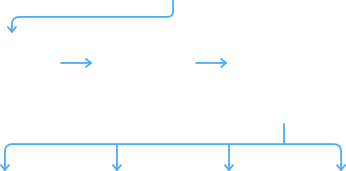

01 Plan

02 Create

03 Refine

Workshop
Outline

Newsletter
Draft

Social Media
Post

Coaching
Practice
You'll finally have a reliable way to keep your work organized.
Your AI assistant can help you create and update workshop plans, slide decks, handouts, and other project materials. It will give them clear names, save them where they belong, and retrieve them when you’re ready to continue.
You can also ask it to save an idea, record a decision, or find your next steps so you can pick up where you left off. You'll spend less time feeling overwhelmed by everything there is to do and more time focused on what matters.
Your knowledge and project history stay in readable documents you control, so you can open and review the files yourself at any time. This gives you a durable foundation to build on as compatible AI tools evolve.

Your Workshop Project

Workshop Materials
Ideas & Decisions
Next Steps

Outline
Slides
Handouts
Facilitator Notes
Saved Ideas
Project Decisions
Draft the Opening Exercise

Bring your whole self
to your work with AI.
We need conscious, heart-centered humans leading the way with AI.
In this course, you’ll practice bringing your wisdom, creativity, and discernment into the process, making thoughtful choices about what to create and how it can serve others.
Your intuition, care, and judgment belong in the creative process.
You'll sense which ideas have energy and what could make a difference for the people you serve. Your AI assistant will help you put that deeper knowing into words and bring your ideas to life.




Got friends or colleagues who’d like this course?
Share it with them!
Meet Your Guide

I’m Gabriel Powell, an Integral Master Coach™ and the founder of AI Coaching Mastery.
My work brings together a love of human development and a lifelong fascination with turning ideas into tangible form.
I began in photography and graphic design, then spent two decades working as an author, educator, and software architect.
I wrote books and created video training for Adobe Press, taught creative professionals around the world, and designed automated publishing systems for organizations including the World Health Organization, ISO, McGraw-Hill, and HarperCollins.
For the past decade, I’ve coached leaders, coaches, and L&D professionals. My work with Coaches Rising has included developing its visual brand and facilitating live online learning experiences.
Over the past two years, I’ve taught 48 cohorts of The AI Coaching Intensive, helping hundreds of coaches, facilitators, and learning and development professionals put AI to work.
Those conversations have taught me where people get stuck, what they need help understanding, and what makes AI useful in their day-to-day work. That experience shapes this course. I’ll explain technical concepts in familiar language and help you apply them to the projects you care about.
In this course, I’ll help you understand what you’re building, explore what becomes possible, and develop a personalized AI assistant around your own knowledge, creativity, and vision.
I bring a coach’s insight to technology
and a technologist’s clarity to coaching.
Course Overview
Design a personalized AI assistant
around the work you love.










In this eight-week live, online course, you’ll use the AI Assistant Toolkit to develop a project you’re excited to bring to life. You’ll test your AI assistant on real work and improve it with guidance and feedback.
You’ll learn to make your knowledge, methods, and voice part of how your AI assistant thinks and works. You’ll create repeatable workflows, keep your project materials organized, and develop the skills to build new projects.
When a new idea inspires you, you’ll have the skills to bring it to life with your AI assistant. Weeks later, you can return to that project with your materials, decisions, and next steps ready to pick up again.


Your 8-Week Learning Journey


Module 1
Dec 2
Module 2
Dec 9 – 16
Module 3
Jan 5 – 13
Module 4
Jan 20 – 27
Integration
Feb 3
You’ll move through four modules and a closing integration week with your peers, applying what you learn to a meaningful project.
Each week, I’ll show you how to take the next step in your project, with live demonstrations and guidance you can put straight to work.
In the open design labs, you’ll build alongside your peers, explore ideas, and get feedback and support to work through challenges and refine what you’re creating.

Give Your AI Assistant a Foundation for Your Work
Module 1
Week 1
Give Your AI Assistant a Foundation for Your Work
You'll start by choosing a meaningful project, then personalize your AI assistant around your knowledge, experience, and ways of working. You’ll give it a practical foundation to support you from the start, then build on that foundation as your project takes shape throughout the course.
•
Choose a practical starting point. You’ll receive a list of prepared projects to spark ideas and help you get started. You'll pick one that excites you or propose your own for review, then define a manageable first result.
•
Gather the context your project needs. Bring together the methods, ideas, and resources most relevant to your project.
•
Help your AI assistant understand you. Use guided conversations to clarify your voice, preferences, and what matters in your work.
Design How You’ll Work Together
Module 2
Weeks 2–3
Design How You’ll Work Together
You’ll learn how to turn your idea into a clear, workable plan for building your project. I’ll make systems thinking practical and easy to understand by explaining the technical concepts in plain language and showing you how to apply them to your work.
•
Create a plan for your project. Define the result you want and map how the knowledge, materials, and decisions involved will fit together.
•
Make the work repeatable. Break the work into clear, sequential steps, defining what each step needs and what it should produce. Identify any templates or tools that will help your AI assistant produce consistent results.
•
Build your judgment into the process. Decide when your AI assistant should ask for your input, pause for review, or wait for your approval so the work stays aligned with your intentions.
Build, Test, & Improve Your AI Assistant
Module 3
Weeks 4–5
Build, Test, & Improve Your AI Assistant
Put your new AI assistant to work on the first useful piece of your project. You’ll test it on a real task and learn how to make the experience more personalized and productive.
•
Bring the first piece of your project to life. Put your plan into action and create something useful with your AI assistant.
•
Discover what makes it work better for you. Explore what’s working, notice what’s missing, and use feedback to refine the way your AI assistant supports you.
•
Pick up where you left off. Learn to save useful insights, decisions, and next steps so you can keep moving forward without piecing everything together again.

Build on What You’ve Learned
Module 4
Weeks 6–7
Build on What You’ve Learned
With a first useful result created and tested, you can take your project further or begin working on a new one. You’ll continue refining the skills you’ve learned and building the confidence to keep improving your projects long after the course ends.
•
Test how well your approach holds up. Apply it to another real task and discover which steps work consistently and which need adjusting.
•
Put your new skills to work on what’s next. Develop another part of your current project or use what you’ve learned to plan and begin a new one.
•
Make your AI assistant more useful to you. Refine its instructions, materials, and review points so it supports the way you want to work with less back-and-forth.

Keep Improving Your AI Assistant Beyond the Course
Integration
Week 8
Keep Improving Your AI Assistant Beyond the Course
You’ve learned how to turn an idea into something you can build, test, and improve. In our final week together, you’ll bring that learning together and prepare to keep developing your personalized AI assistant with greater ease and confidence.
•
Keep your AI assistant growing with you. Learn when to update its knowledge and instructions, how to spot problems, and what to adjust as your work evolves.
•
Discover new possibilities through your peers. Share something you’ve created or learned, and explore how others’ approaches could inspire your own work.
•
Leave with clear next steps. Recognize how far you’ve come and use feedback to choose your next improvements. You don’t need a finished project to leave with a clear direction.







What participants say
about learning with me
“Gabriel was authentic, expert, and engaging throughout. His calm and playful teaching style made the complex material accessible and inspiring.”

Marjana Laibacher Rogelj
Professional Maturity Coach (VeDA)
These reflections come from participants in The AI Coaching Intensive.

Book Your Place for

Book Your Place for
Design Your Own AI Assistant
Let’s put your ideas to work. Bring a project you’re excited about, and I’ll guide you in creating a personalized AI assistant that draws on your knowledge, reflects your approach, and supports the way you work.
As your project takes shape, you’ll build the skills and confidence to keep bringing your ideas to life, long after the course ends.


Live Online Learning
Join me and your peers for live demonstrations, conversations, and guidance you can apply to your own projects.

Hands-on & Interactive
Put what you learn into practice as you build, test, and improve your personalized AI assistant.

Limited to 20 Participants
Learn together with people who are as passionate about their work as you are. Share your discoveries, learn from each other, and get help when you need it.
What You’ll Receive
Everything You Need to Design and Build
Your Personalized AI Assistant

AI Assistant Toolkit,
Prebuilt for a Faster Start
An organized foundation for your knowledge, projects, and workflows that you’ll learn to personalize around your work.

8 Live Teaching Sessions
See how it’s done, then apply it to your own project with clear, step-by-step guidance to help you move forward with confidence, one step at a time.

8 Open Design Labs
Bring your project to life while learning with your peers, with space to ask questions, explore ideas, and get guidance and feedback when you feel stuck.

3 One-on-One Sessions
Meet with me or one of my lab assistants for three 30-minute sessions focused on you and your project. Explore what excites you, work through areas where you feel stuck, and clarify your next steps.

Access to the Lesson Materials
Access lesson materials, recordings, and transcripts through February 5, 2028, one year after the final scheduled live session. Download recordings and transcripts for your own continued learning.

Guidance to Bring a
Meaningful Project to Life
Develop a project around your knowledge and ideas, with guidance and feedback as you plan, build, test, and improve it.


Enroll Now

Super Earlybird Tuition
Limited to 20 Participants
Enroll by October 28, 2026
13
DAYS
08
HOURS
42
MINUTES
16
SECONDS
Pay in Monthly Installments
3 × $595 USD
$1,785 USD total
Spread your tuition across three months.
Arrange Monthly Payments
Have you attended the AI Coaching Intensive?
Enroll for $1,500 USD paid in full, saving $600 on regular tuition, or choose three monthly payments of $525 USD ($1,575 total). Check your inbox for your alumni invitation and discount code. To request yours, use the Get in Touch form at the bottom of the website.
100% money-back guarantee
I want you to feel confident that this course is right for you. You may cancel for any reason and receive a full refund. Submit your request through the Get in Touch form at the bottom of the website by December 23, 2026, at 11:59 p.m. US Pacific. I’ll refund all course payments and cancel any remaining installments, with no deductions. Your refund will be issued within 14 calendar days of your request; your payment provider may take additional time to display it.
Read the General Terms and Course Terms.
Frequently Asked Questions
Do I need technical experience or previous AI training?
This course is designed for people who already use AI and are ready to take it further. You don’t need a technical background. I’ll explain complex concepts in plain language and help you apply them to your own work.
Do I need to attend live, or can I take the course at my own pace?
You can fully participate in Design Your Own AI Assistant without attending any of the live sessions. Work through the lesson materials, recordings, and transcripts at your own pace as they become available during your cohort.
Joining live gives you opportunities to ask questions, get feedback, and learn alongside others, and I encourage you to come when you can. If your schedule doesn’t allow it, you’ll still have access to the course community and your three 30-minute one-on-one sessions with me or one of my lab assistants to help you move your project forward.
Your course environment, community, and selected preliminary reading materials open on November 18, 2026. If you enroll later, you’ll receive the available orientation access after your enrollment is confirmed. This is time to get settled and meet your peers. The full course library is not available at that point; lessons and resources are released progressively during the course, generally week by week.
You’ll have access to the course materials, recordings, and transcripts through February 5, 2028, one year after your cohort’s final scheduled live session. You can also download recordings and transcripts for continued personal learning, subject to the course license and full-refund terms.
How much time should I set aside each week?
Each week includes a 90-minute live teaching session and a 90-minute open design lab. The labs are optional and encouraged. They give you time to apply what you’re learning with guidance and support.
I recommend setting aside 2–4 hours each week outside the live sessions to develop your project. The time you need will depend on what you choose to build and the experience you bring. You’re welcome to spend more time exploring ideas and taking your project further.
How will this change the way I use ChatGPT or Claude?
You’ll still use ChatGPT or Claude, but with an added layer of intelligence shaped around you and your work. The AI Assistant Toolkit gives you a prebuilt foundation for designing how your chosen AI tool works with you, bringing your knowledge, methods, voice, and projects into an organized workspace.
You’ll learn to create repeatable workflows and give your AI assistant guidance about where to find relevant information, when to ask for your input, and what to save for next time. That means less re-explaining and more time building on your ideas, decisions, and work. You’ll also learn how to adapt that foundation as your needs change.
What kinds of projects can I work on?
You'll be encouraged to choose a project you’re excited to move forward. Perhaps it’s a workshop you’ve been imagining, a newsletter you’d love to launch, a coaching program taking shape, or a way to organize the knowledge you draw on in your practice.
You’ll have a selection of project options to spark ideas, or you can propose your own. Together, we’ll choose a manageable first step so you can put what you’re learning to work and create something useful to test during the course.
What can I expect to have built by the end?
You’ll work toward a personalized AI assistant grounded in your knowledge and way of working. We’ll help you make a clear plan, begin building your project, and test a useful first result.
How far you take it will depend on your project’s scope, the time you invest, and what you discover along the way. You don’t need a finished project to make meaningful progress. The aim is to develop the skills and confidence to keep improving your work after the course ends.
What help will I receive if I get stuck?
Bring your questions and work in progress to the open design labs. Show us what you’re trying to do and where you’re getting stuck. You’ll receive guidance and feedback to help you work through the challenge, and you can learn from what others are discovering too.
You’ll also have three 30-minute one-on-one sessions with me or one of my lab assistants, focused on you and your project. Use that time to work through a technical problem, explore an idea, simplify your approach, or get a fresh perspective on your next steps.
Book and use your sessions by March 7, 2027. Give at least 24 hours’ notice to cancel or reschedule without using a session. A missed session or later cancellation normally counts as used, with flexibility for illness or unexpected circumstances. If we cancel, we’ll offer a replacement and extend the booking window where needed. Support covers a manageable course project; it does not include unlimited private help or a custom build-for-you service.
Which AI tool and subscription will I need?
The course uses ChatGPT Work in the ChatGPT desktop app, connected to a local project folder, or the Claude desktop app with local-file capabilities. You’ll choose one to use throughout the course, so you don’t need subscriptions to both. The Toolkit uses widely supported file formats and standard conventions. I’ll announce additional compatible tools as they’ve been tested and confirmed to work with it.
Your AI subscription is separate from the course tuition. ChatGPT Plus and Claude Pro currently cost $20 USD per month when billed monthly. That may be sufficient for lighter use.
For more intensive project work, I recommend budgeting for a $100 USD monthly subscription for one or two months. ChatGPT Pro and Claude Max both offer plans at that price. The additional capacity gives you more room to build, test, and refine your work with fewer interruptions from usage limits. You can adjust your monthly subscription as you discover what you need.
You’ll be putting that capacity toward projects, materials, and reusable workflows that can support your work long after the course ends.
Subscription prices and usage limits may change. Check the provider’s current pricing before subscribing.
What computer will I need?
You’ll need a compatible Mac or Windows laptop or desktop computer with a reliable internet connection. Install the Zoom desktop app for our live sessions and either the ChatGPT desktop app with ChatGPT Work or the Claude desktop app with local-file capabilities for the course activities. You need only one of the two AI apps. Your chosen app and account must support reading and editing files directly in a local folder on your computer. You will grant it access to the folder containing your Toolkit and the materials you choose to use. If you use a work-managed computer or account, confirm that your organization permits the required app installation and folder access. You cannot complete the course using ChatGPT or Claude only in a web browser.
You’ll use your computer during the hands-on activities to work with your project files, follow demonstrations, and put what you’re learning into practice. Bring a microphone for clear audio and an easier, more comfortable experience during our live online sessions.
Will my files and information stay private?
You choose which files your AI assistant can access and what you share with the group. Your course project will focus on your own business materials. You may apply what you learn and use your original work in paid client projects, while respecting the AI Assistant Toolkit license.
Working with confidential client information or using AI in regulated or high-stakes services requires additional safeguards and expertise beyond this course. Please use fictional or sanitized examples in group activities and support requests.
Your AI provider may process information in the cloud, even when your files are stored on your computer. How that information is handled depends on the tool and its settings.
You’ll learn safer ways to work with your files: choosing a dedicated folder for your AI Assistant Toolkit and project materials, limiting the AI tool’s access through its permission settings, and reviewing changes before relying on them. You do not need to give it access to all your files. We’ll also cover how to authorize additional project folders and understand what information your AI provider processes in the cloud.
What should I prepare before the course begins?
Start thinking about a project you’d be excited to develop. Gather a few materials that could support it, such as examples of your writing, workshop notes, descriptions of your methods, or information about your brand.
You don’t need to have everything organized or your entire project mapped out. We’ll work on that together. Use materials you have permission to work with, and leave confidential client information out of anything you share with the group.
What can I keep using after the course?
You can keep developing your personalized AI assistant after the course. Your original work remains yours, and your continuing AI Assistant Toolkit license lets you keep using its components in your own business. You can build on your project files and workflows as new ideas take shape. Our templates and teaching materials remain protected and cannot be redistributed without permission.
You’ll also have access to the lesson materials, recordings, and transcripts for one year from your cohort’s final scheduled live session. Return to a lesson when you need it, revisit a demonstration, and download recordings and transcripts to keep beyond that period.
Your course community membership continues with no scheduled expiration, so you can stay connected and keep sharing discoveries after your materials-access period ends. This does not include ongoing live teaching or private support.
A full refund is the exception: course access, course community membership, and the license to use the AI Assistant Toolkit and course materials end. You must stop using those resources and delete downloaded copies, but you retain your own original work. Independently held memberships and separately purchased licenses are unaffected.
Will I receive a certificate or continuing education credits?
Yes. You’ll receive a certificate of completion when you complete the core learning activities and submit one project for review. You may watch session recordings instead of attending live, and your project need not be finished or polished. I’ll explain the activities and submission process during the course.
I’m also exploring whether the course can count toward ICF credential renewal through Resource Development credits. The course is not currently ICF-accredited, and continuing education credits are not yet confirmed. I’ll notify participants as soon as I have more information.
Can I pay in installments?
Yes. During Super Earlybird enrollment, you can choose:
- General tuition: Three monthly payments of $595 USD ($1,785 total), or $1,700 USD paid in full.
- AI Coaching Intensive alumni: Three monthly payments of $525 USD ($1,575 total), or $1,500 USD paid in full.
Use the Get in Touch form at the bottom of the website, and I’ll help you arrange your payment plan. You’ll receive the payment schedule before enrolling. Your place is secured when your first payment succeeds and you receive your enrollment confirmation, subject to availability. The plan is a fixed tuition commitment, not a cancel-anytime subscription; the course refund and cancellation provisions still apply.
Have you attended the AI Coaching Intensive? Check your inbox for your alumni invitation and discount code, or use the Get in Touch form at the bottom of the website to request yours. If you’d prefer monthly payments, mention that when you get in touch.
Both payment plans include the full course experience and the same money-back guarantee.
To secure Super Earlybird tuition, contact me through the Get in Touch form at the bottom of the website by October 28, 2026, at 11:59 p.m. Pacific, then make your first payment within 48 hours of receiving your payment instructions. The Super Earlybird price is held during that 48-hour period. Your place is secured when your first payment succeeds and you receive your enrollment confirmation, subject to availability. Contacting me alone does not reserve a place.
What if unexpected circumstances keep me from finishing the course?
Sometimes life interrupts even our best plans. If unexpected personal or work circumstances prevent you from continuing, you may return and take the course again once with a later cohort at no additional tuition cost. Choose a cohort beginning within 12 months after your original course ends, by February 5, 2028 for this cohort.
Contact me when you need to pause, and we’ll make a plan for your return. Places are available on a first-come, first-served basis, just as they are for new participants. If we can’t offer you a place within the 12-month period, you can join the next available cohort.
Your return includes the full course experience and three fresh 30-minute individual sessions, even if you used some or all of your original sessions. Unused original sessions do not add to those three. You’ll receive materials access for one year after the returning cohort’s final scheduled live session, and its session-booking and cancellation rules apply. Your original materials remain available through their original expiry in the meantime.
Your original unpaid tuition remains due. This benefit is for you, may be used once, and does not automatically restart the original refund guarantee. We’ll confirm your return dates and access in writing.
How do I request a refund?
You may cancel for any reason from purchase through December 23, 2026, at 11:59 p.m. Pacific. Use the Get in Touch form at the bottom of the website to request your refund. There’s no need to explain your decision, attend a minimum number of sessions, or complete coursework.
I’ll refund all course payments you’ve made, including any installment-price premium already paid, and cancel the remaining installments. There are no deductions for processing fees, materials, community access, or sessions already provided. I’ll issue the refund to your original payment method within 14 calendar days of your request. Your payment provider may take additional time to display it.
See the General Terms and course schedule linked above for the full conditions, including what happens to access after a refund. Your applicable statutory rights remain unaffected.
Is there a minimum number of participants?
Yes. The course requires at least six participants, with a maximum of 20. By November 17, 2026, I’ll confirm whether it will proceed. If I cancel because the minimum is not met, or substantially postpone the start, you may choose a full refund with remaining installments canceled or a transfer to an available later cohort. A transfer is always your choice.
Still have a question?
Wondering whether this course is right for you, or which of your ideas would make a good project? Tell me a little about your experience and what you have in mind. I’ll help you decide whether it’s a good fit.
Use the Get in Touch form at the bottom of the website.